First Start
After installing CuriosPaper and starting your server, here's what happens and what to expect.
Startup Sequence
When the server starts with CuriosPaper for the first time, the plugin will:
- Generate
config.ymlwith 9 default accessory slot types - Create the
items/directory for custom item definitions - Create the
playerdata/directory for per-player accessory storage - Initialize the resource pack manager and extract default assets
- Register commands (
/baubles,/curios,/edit) - Start bStats metrics (anonymous usage statistics, plugin ID: 29508)
Console Output
A successful first start will show:
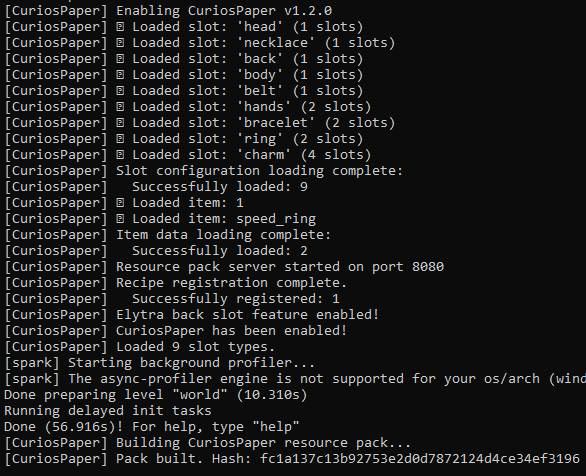
If the elytra back slot feature is enabled and supported:
Default Slot Types
CuriosPaper ships with 9 pre-configured accessory slots:
| Slot | Icon | Slots | Description |
|---|---|---|---|
| Head | Golden Helmet | 1 | Crowns, circlets, headpieces |
| Necklace | Nautilus Shell | 1 | Amulets and pendants |
| Back | Elytra | 1 | Capes and cloaks |
| Body | Diamond Chestplate | 1 | Chest accessories |
| Belt | Leather | 1 | Utility belts and sashes |
| Hands | Leather Chestplate | 2 | Gloves (both hands) |
| Bracelet | Chain | 2 | Bracelets and bangles |
| Ring | Gold Nugget | 2 | Magical rings |
| Charm | Emerald | 4 | Trinkets and charms |
Total: 15 accessory slots per player
Testing the Plugin
- Join the server as a player
- Type
/baubles(or/b) to open the accessory GUI - You should see a double-chest GUI with the 9 slot categories
Next Steps
Head to Getting Started → Core Concepts to learn how the slot system works, or jump to Your First Accessory to create a custom item.